Your teamA card in their Wallet, and a page behind the QR
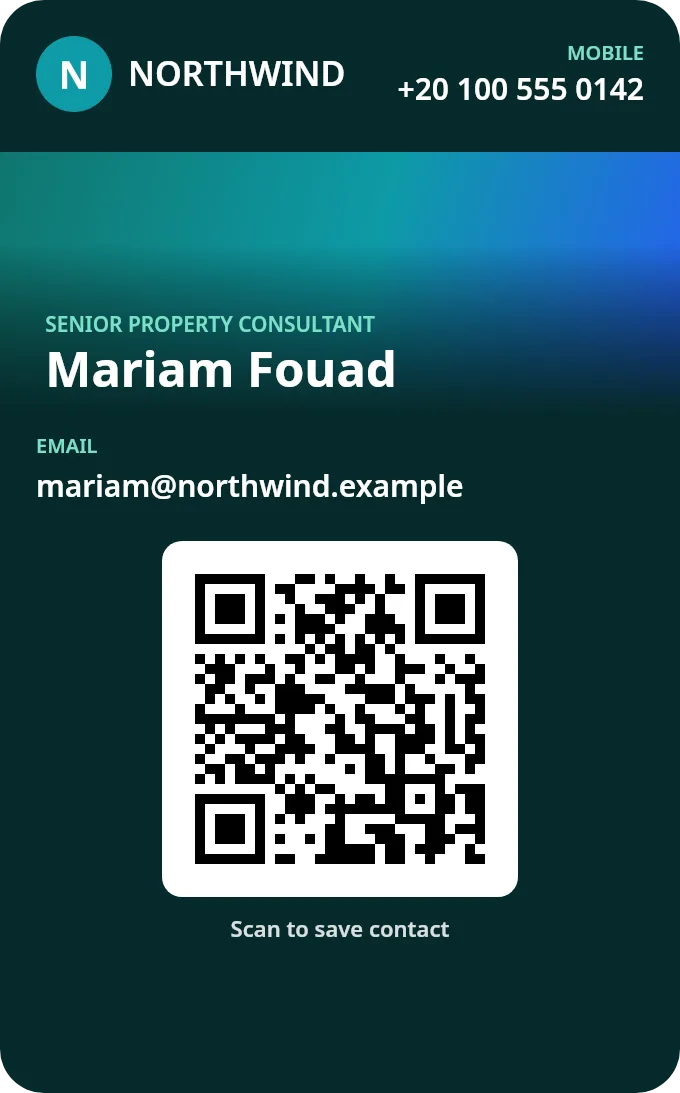
- Name, job title, phone, email and QR on the pass
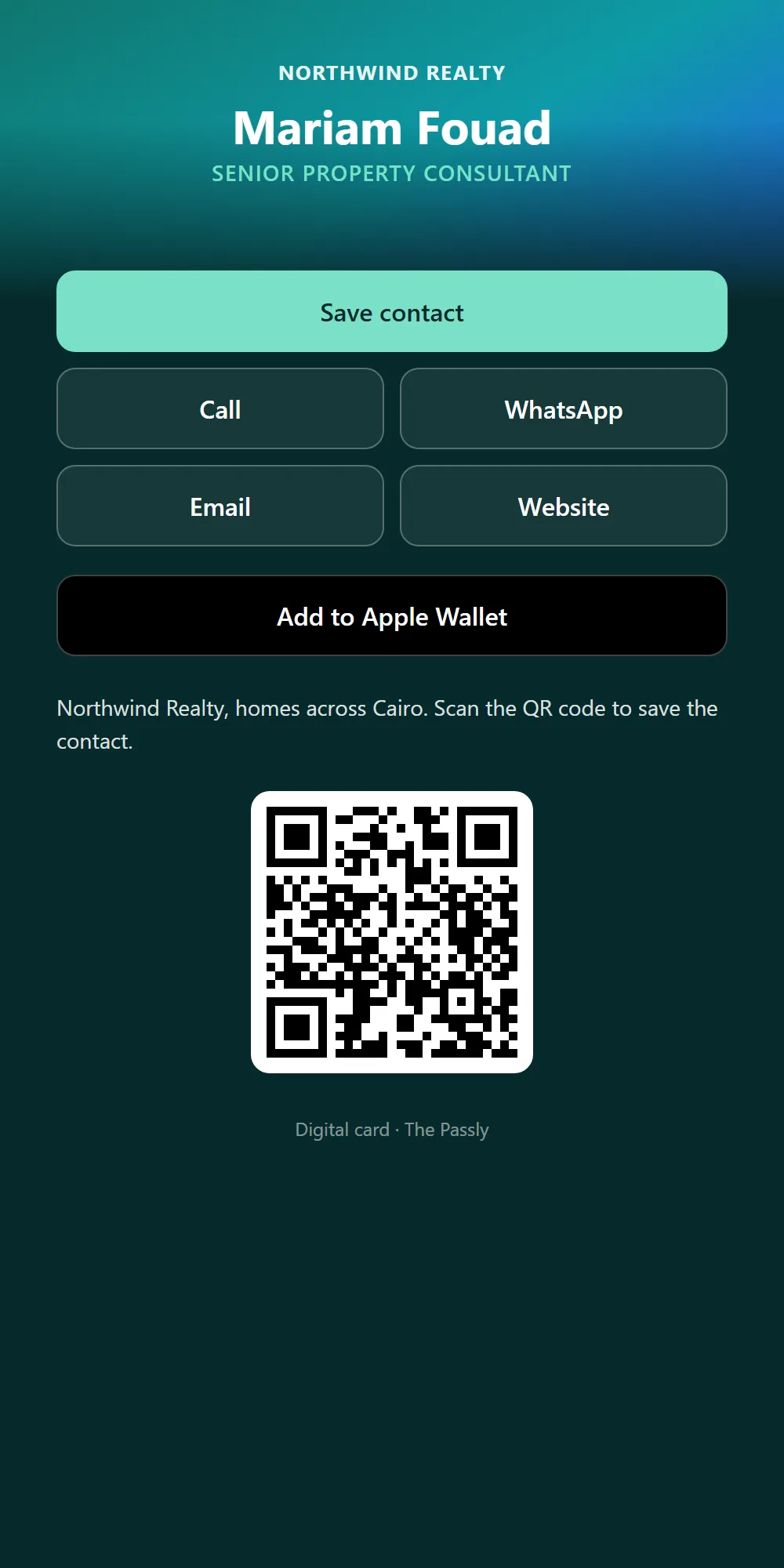
- The QR opens their card page: Save contact, Call, WhatsApp, Email, Website, LinkedIn
- Add to Apple Wallet or Google Wallet from the same page
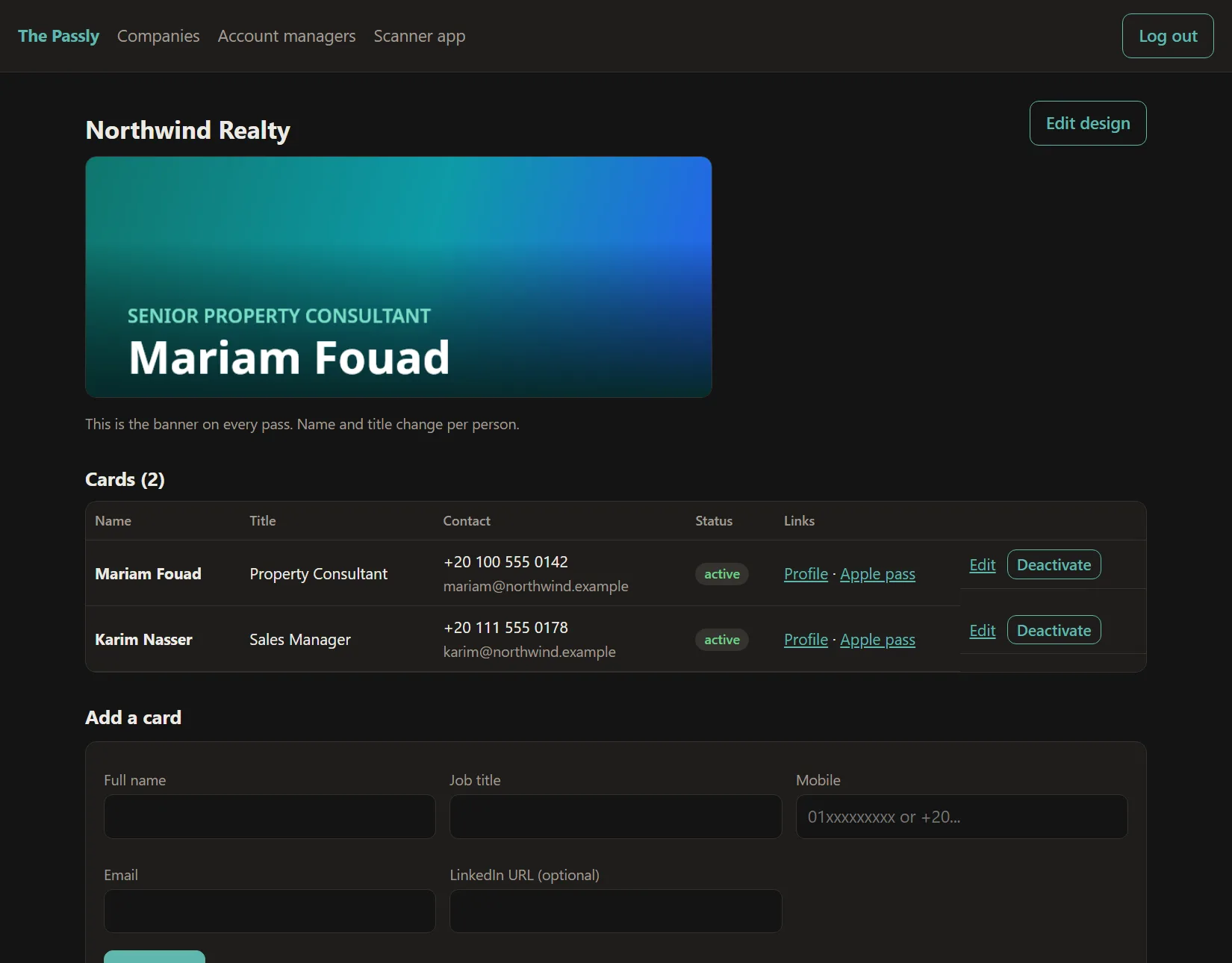
Paste a CSV with name, title, phone, email and LinkedIn, or add people one by one in the dashboard.
Everyone gets a link and a QR. It opens their card page, and one tap puts the card in Apple Wallet on iPhone or Google Wallet on Android.
Change a title, phone or email in the dashboard and every issued card updates itself. Deactivate someone who leaves and their card stops working.
Start your own card today, or ask us for a trial for your whole company.
Add a sample card to your Wallet (iPhone: Apple Wallet. Android: Google Wallet)