New Business cards in Apple Wallet

Your team's business cards, in their wallet.

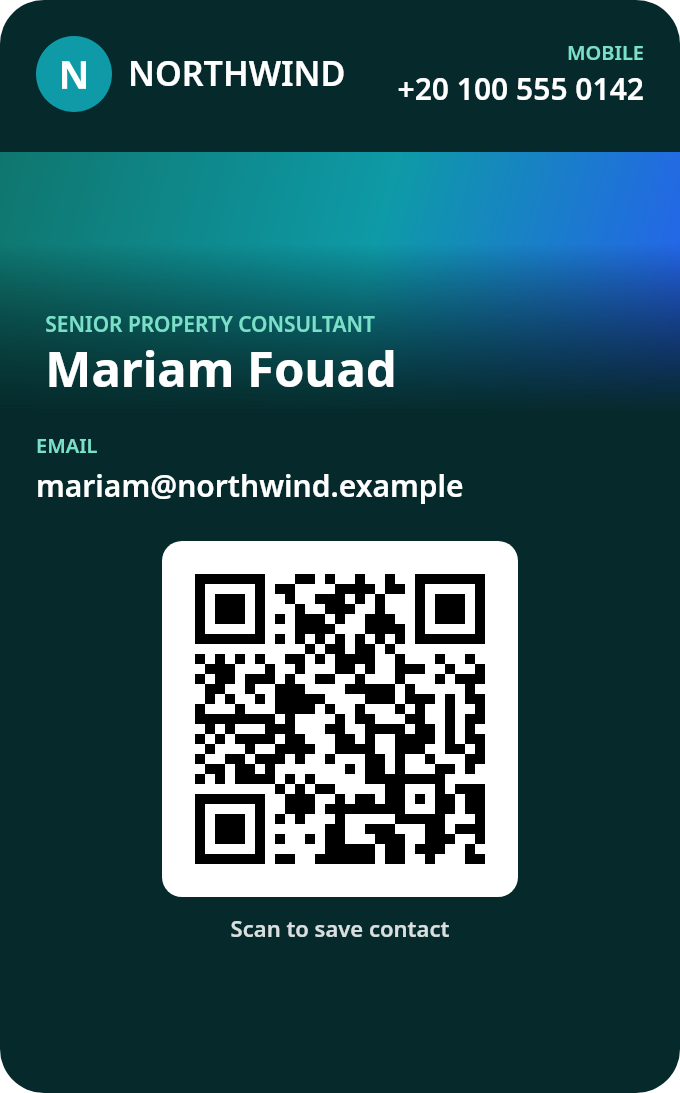
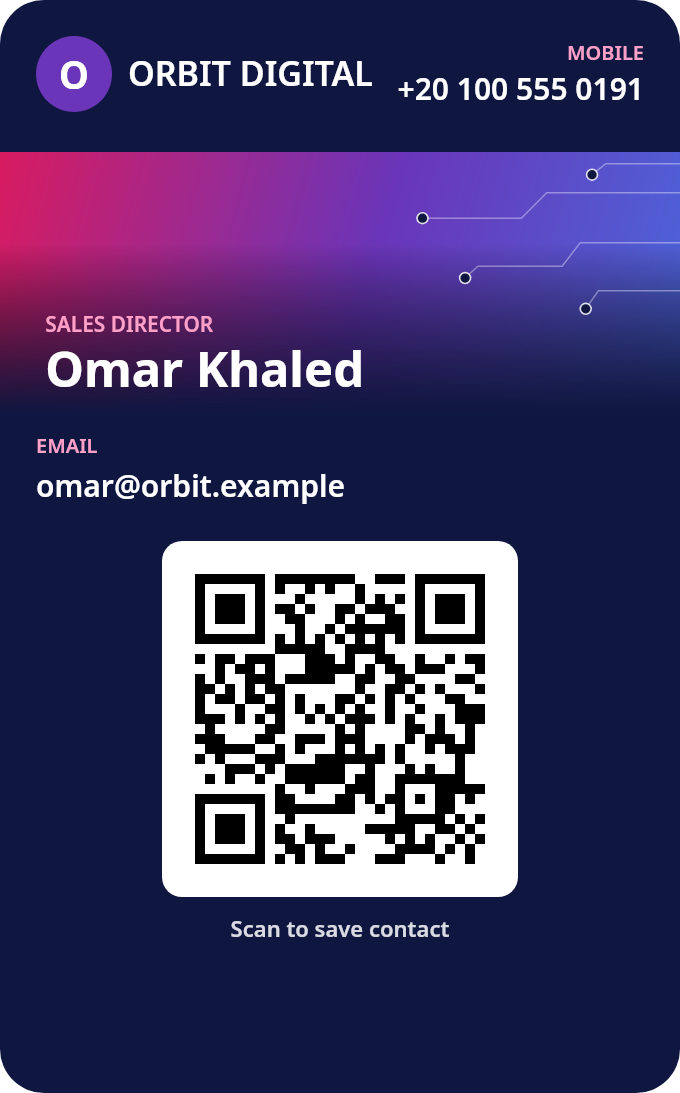
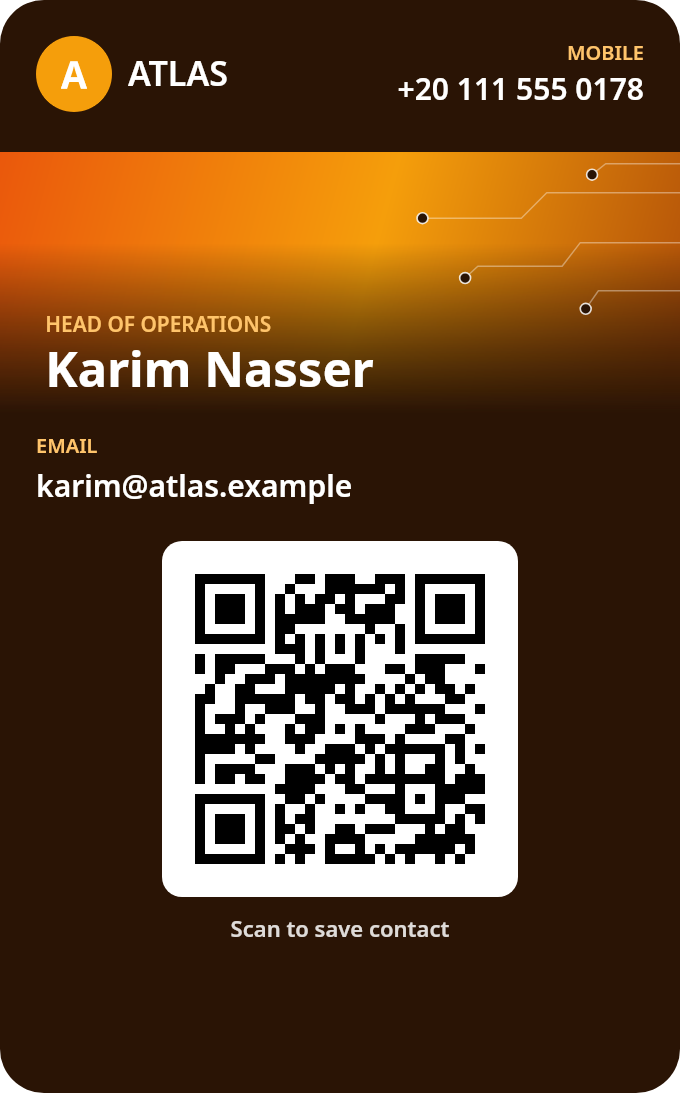
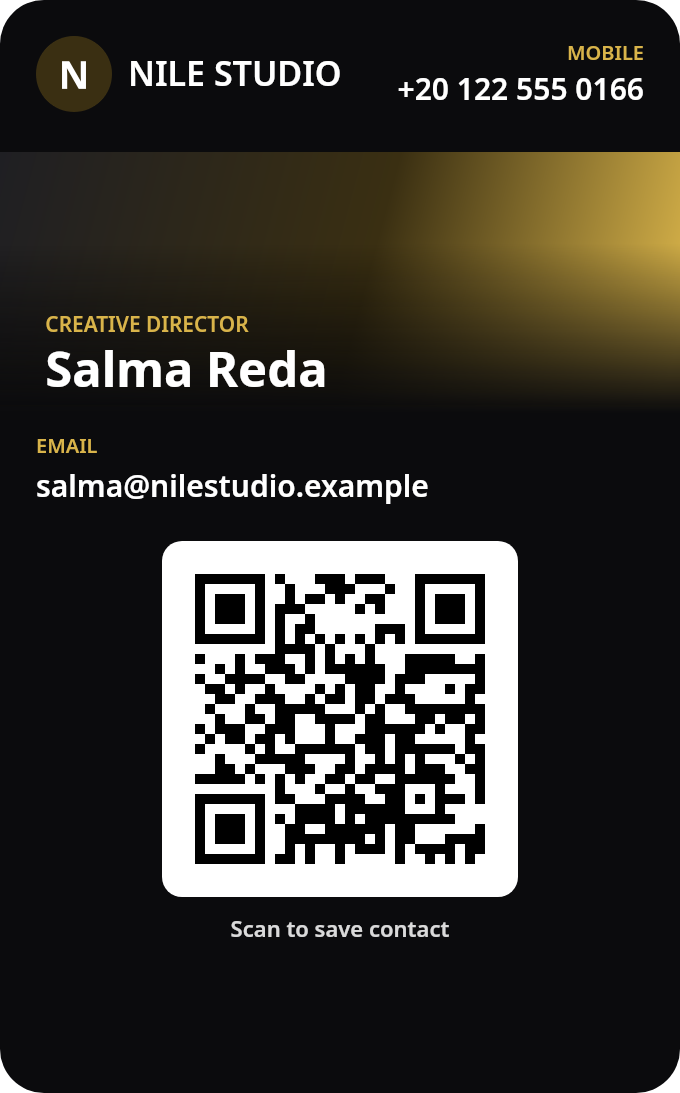
Every employee gets a card in Apple Wallet, in your company's design: name, title, phone, email and a QR code. Anyone scans it with a phone camera to save the contact. Change a title once and every card updates.

Add this card to your Wallet (iPhone, in Safari)
  • No app to install
  • QR works with any phone camera
  • Google Wallet coming soon
Sample Apple Wallet business card: Omar Khaled, Sales Director at Orbit Digital
Sample Apple Wallet business card: Mariam Fouad, Senior Property Consultant at Northwind Realty
Sample Apple Wallet business card: Karim Nasser, Head of Operations at Atlas Logistics
Sample Apple Wallet business card: Salma Reda, Creative Director at Nile Studio
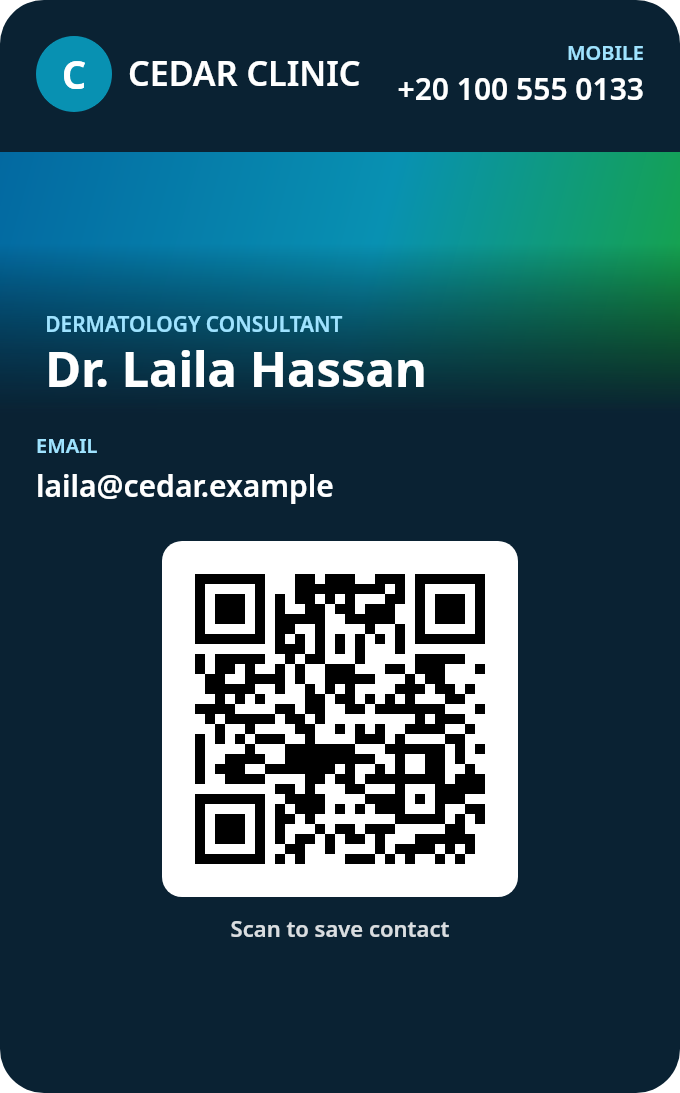
Sample Apple Wallet business card: Dr. Laila Hassan, Dermatology Consultant at Cedar Clinic
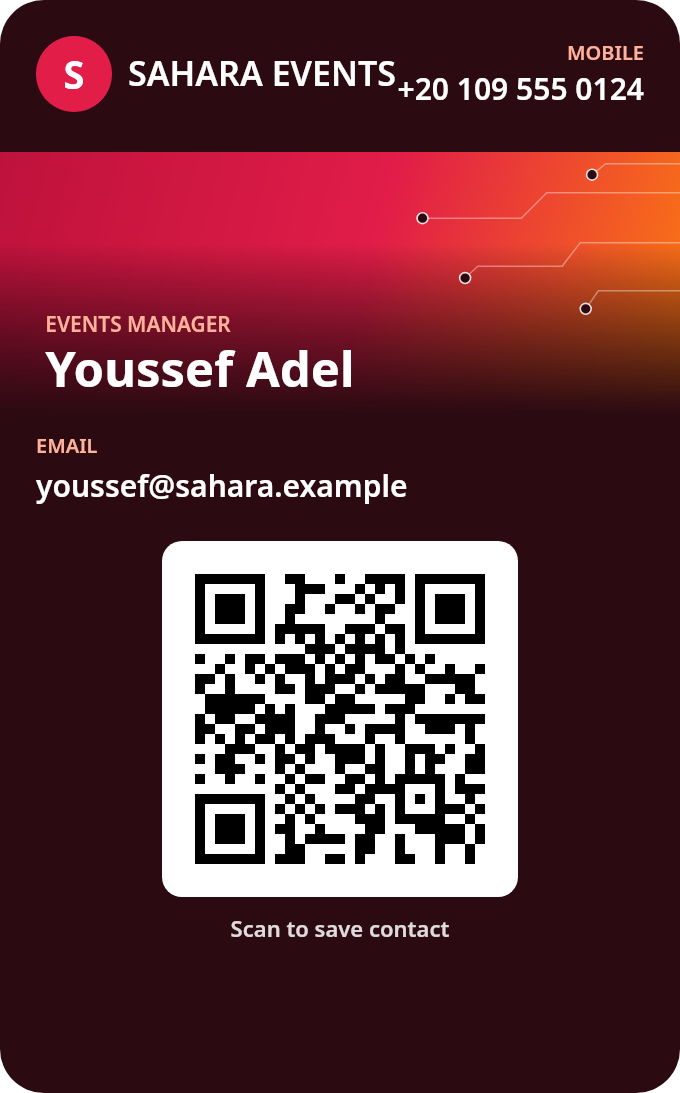
Sample Apple Wallet business card: Youssef Adel, Events Manager at Sahara Events

Drag a card and throw it

Where cards change hands

At the door, the desk, the expo.

No box of cards to run out of. The card is on their phone, and the QR works with any camera.

A real estate agent smiling at an apartment door, holding out her phone to a prospective client
Real estateHer number, saved before the viewing ends
Two professionals shaking hands at a trade expo, one holding her phone
EventsScan the QR, keep the contact
A smiling sales manager in a navy shirt at a café table, holding up his phone to a client
SalesA card that's always in his pocket
A laughing studio founder shaking a client's hand in a bright brick-wall studio, her phone in her other hand
StudiosThe card follows the handshake
A new colleague holding out his phone to a smiling coworker at her desk in an open-plan office
OfficeNew colleague? Scan and save
An operations manager in a hi-vis vest in a warehouse office, holding his phone and smiling
LogisticsNo printing, no reprints
How it works

Your whole team on cards, in three steps.

  1. 01

    Add your team

    Paste a CSV with name, title, phone, email and LinkedIn, or add people one by one in the dashboard.

  2. 02

    They tap Add to Apple Wallet

    Everyone gets a link and a QR. It opens their card page, and one tap puts the card in Apple Wallet.

  3. 03

    Update once, every card follows

    Change a title, phone or email in the dashboard and every issued card updates itself. Deactivate someone who leaves and their card stops working.

Both sides

What your team sees. What you see.

Your teamA card in Apple Wallet, and a page behind the QR

  • Name, job title, phone, email and QR on the pass
  • The QR opens their card page: Save contact, Call, WhatsApp, Email, Website, LinkedIn
  • Add to Apple Wallet from the same page
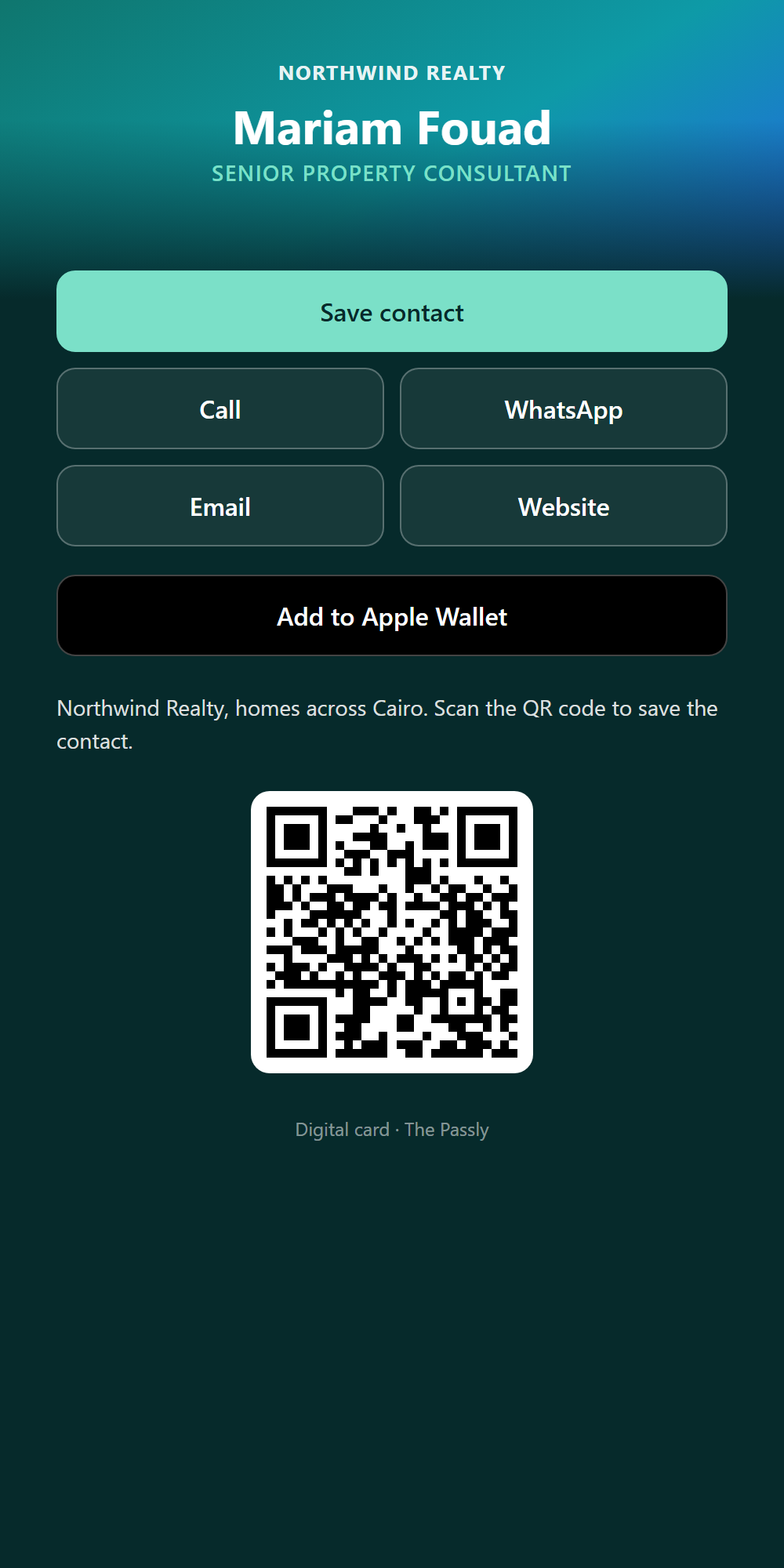
The mobile card page for Mariam Fouad at Northwind Realty, with Save contact, Call, WhatsApp, Email, Website and Add to Apple Wallet buttons

YouOne dashboard for every card

  • Every person, title and contact in one table
  • Add people one by one or paste a CSV
  • Edit, deactivate or remove in a click
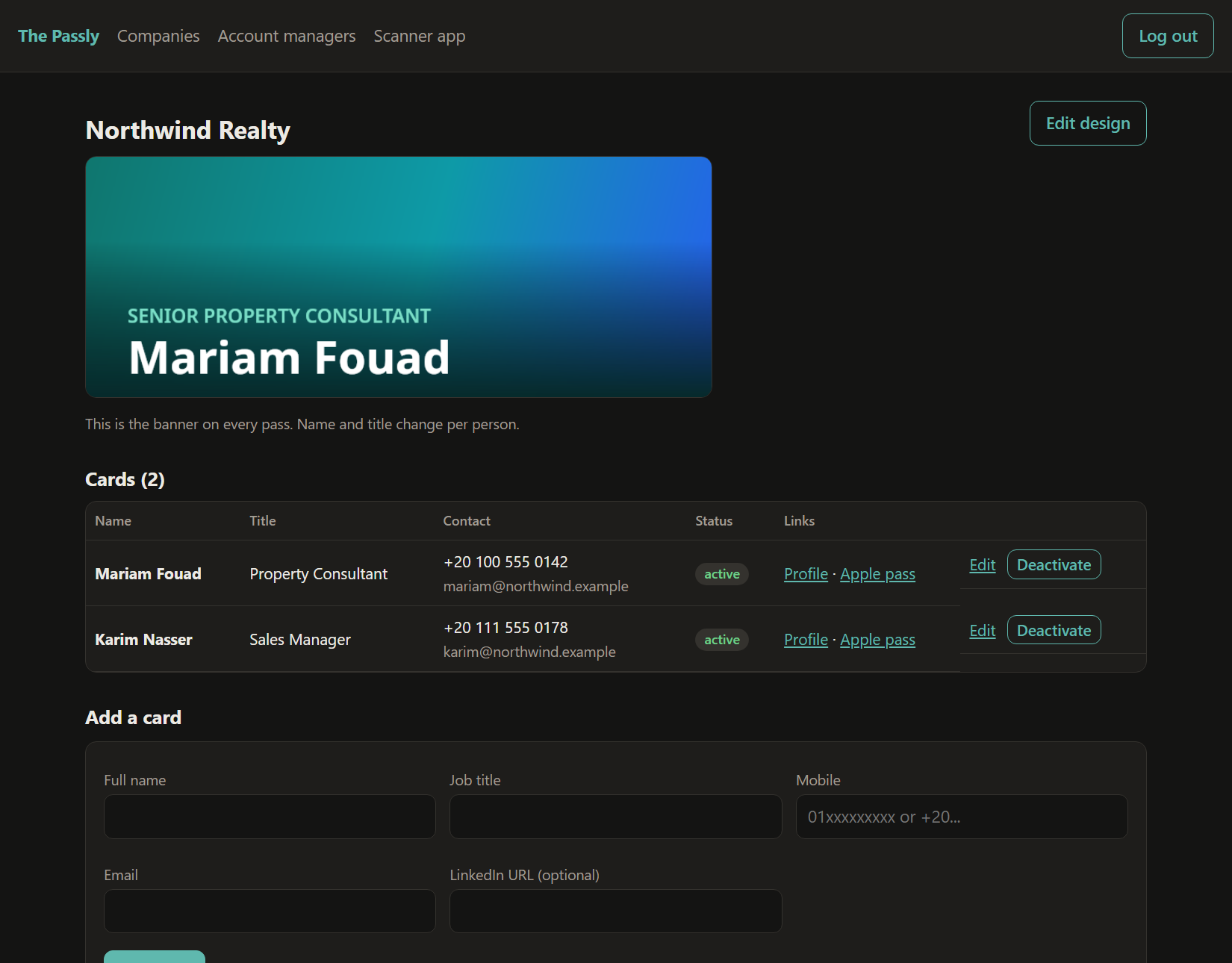
The account-manager dashboard for Northwind Realty: banner preview, a table of cards with Edit and Deactivate buttons, and an Add a card form
What you get

Everything a paper card does. Then some.

Your design on every card

Your logo, colours and banner, with each person's name and title on top. One look for the whole company, set up and kept on brand by our team. Lives in Apple Wallet; Google Wallet coming soon.

One scan saves the contact

The QR opens their card page from any phone camera: Save contact, Call, WhatsApp, Email, Website, LinkedIn.

Update once

Change a title, phone or email in the dashboard and every issued pass updates itself.

Someone leaves? Deactivate.

Deactivate a person and their card stops working. No old cards floating around with the wrong number.

Paste a CSV

Name, title, phone, email, LinkedIn. Or add people one by one. Edit, deactivate or remove any time.

Scanner for events

Your staff scan other people's cards at events with the scanner web app and collect the contacts.

Who it's for

For teams that hand out their number.

Sales teams

Sales teams

Every rep hands over the same sharp card. New hire? Add them. Someone leaves? Deactivate their card.

Healthcare

Clinics

Doctors' cards with a phone, email and website a patient can save in one scan.

Creative

Agencies & studios

A card as considered as your work, in your colours and banner.

Property

Real estate

Agents share their number at every viewing, from a card that's always on their phone.

Events

Events

Your stand team shares cards and scans visitors' cards to keep the contacts.

Operations

Logistics

Account and operations managers, reachable from one scan.

Pricing

Pay per card, per year.

One setup fee, then a yearly price for each card. The bigger the team, the less each card costs.

1,500 EGP one-time setup, including your company's card design

Starter

from100EGP per card
per year

Up to 200 cards

  • All features included
  • Apple Wallet cards and card pages
  • Dashboard and CSV paste
Book a demo

Growth

from75EGP per card
per year

200 to 1,000 cards

  • All features included
  • Scanner web app for events
  • Cards that update themselves
Book a demo

Scale

from50EGP per card
per year

More than 1,000 cards

  • All features included
  • One design across every team
  • Lowest price per card
Book a demo
Questions

Good questions.

No. Your team's cards go into Apple Wallet, which is already on their iPhone. The people they meet just point their phone camera at the QR, and the card page opens in the browser.

Cards live in Apple Wallet today; Google Wallet is coming soon. Anyone on Android can already scan a QR and save the contact from the card page.

Deactivate them in the dashboard and their card stops working. You can also remove them completely.

No. Change the title, phone or email once in the dashboard and the card already in their Wallet updates itself.

Yes. Your company's design (logo, colours and banner) is set up and managed by our team. Ask us and we'll update it for everyone.

On our own server. There is no ad tracking on the cards or card pages.

Yes. Paste a CSV with name, title, phone, email and LinkedIn, then send each person their link.

Hand out a card that never runs out.

Book a short demo and we'll show you a card in your company's colours. Or open a real one right now.

Add this card to your Wallet (works on iPhone, in Safari)